Sunday, September 15, 2019

Announcing Middleware In The Cloud -Teachable Online School

As you may be aware, I have recently started building online courses. To date, these course have been posted on Udemy.com. While hosting courses on Udemy has some advantages, it also creates some level of lock-in. As a result, I have decided to make my Microsoft Flow vs Azure Logic Apps course available on Teachable.com.

Teachable.com is a trusted Learning Management System (LMS) where authors have more control over their work. Authors can create their own online schools and create a community for their students. I thought I would stick with the "Middleware In The Cloud" brand and as a result you will find my school at https://middlewareinthecloud.teachable.com/.

I will try to keep my courses priced similarly so that people don't feel that they are getting a better prices by going to one site over another. Really, it comes down to what is best for students and I am trying to meet students where they want to learn.


Wednesday, August 28, 2019

New Udemy Course: 10 Tips for Building Effective Flows

**Discount Code Available at end of Post**
Back in early August, I created my first Udemy course called Microsoft Flow vs Azure Logic Apps, which tool is right for me? So far the course has been well-received and I appreciate all of you who have taken the course and provided feedback. I enjoyed the process so much that I decided to build another course. This time, I teamed up with Jon Levesque to bring you 10 Tips for Building Effective Flows.
Jon and I have co-presented at several events in the past including Ignite, Business Application Summit, Ready and Microsoft Build in addition to recording several YouTube videos like Hot Dog/Not Hot Dog, Automating Your Customer Service and Dude Where’s My Car to name a few. Jon was recently visiting Calgary so we took an opportunity to record some segments for the course.
The outcome is we have a course that helps beginners learn some essential tips that will make them more productive, their flows will become more maintainable and more reliable. The tips that we are including are:
  1. Copy to my Clipboard
  2. Scopes
  3. Configure Run After
  4. Test Flows
  5. Flow Checker
  6. Name and Rename
  7. Sharing with Security Groups
  8. Send a Copy
  9. Comments
  10. Switch Statements
Within each lecture we will show you how you can uses these tips, but more importantly we will share WHY you should be using them.
For those of you who may be further along on your flow journey, this course may not be for you. But, stay tuned! We are actively working on an Advanced Tips course which should be a better fit.
To show our appreciation for checking out this blogpost, we have a 30% discount code for you that will get you this course for $13.99 USD

image

Monday, August 19, 2019

Speaking at the Power Platform World Tour (Calgary)


Now that the agenda has been posted, I wanted to share that I will be speaking at the upcoming Power Platform World Tour, in Calgary on October 3rd and 4th. My session is called Intelligent Automation using Microsoft Flow. This is a topic that I am deeply passionate about as I feel it has the ability to transform organizations. This transformation occurs, by scaling efforts through the use of intelligent processes….processes that we can automate using flow and Artificial Intelligence!!!


I started talking about this topic back when I was at Microsoft including a session at Ignite 2018. The difference between that time and now is Microsoft has introduced a new intelligent capability called AI Builder. AI Builder is a service that brings Artificial Intelligence to ‘citizen developers’ without the need to have a deep background in the subject.

My session is scheduled for Thursday, October 3rd at 1:30 PM and in this session I will demonstrate how we can use Microsoft Flow to intelligently parse forms, automatically derive insights and perform object recognition without the need to wire up external services.


I hope to see you there!!!


Sunday, August 11, 2019

Serverless Tips - Exception Handling and Scopes


In late 2018 I started contributing to the #ServerlessTips on https://www.serverlessnotes.com, a community knowledge base hosted by Serverless360. I have written more than 30 tips, mostly on Azure Logic Apps, on that site and I wanted to highlight some of my favorites. Now, I won’t go ahead and cross-post these entire topics, but I wanted to elevate their visibility as I think they are important.


In a world of connected services running across data centers and public clouds world-wide, errors are bound to happen. These errors can be related to underlying technical infrastructure issues or related to missing or unexpected data.


Regardless of the reasons, Logic Apps developers need to plan and react when these exception events occur.


Java and .NET developers are very comfortable using try-catch-finally semantics when it comes to error handling. However, in Azure Logic Apps, developers use a different approach, to achieve similar behaviors. Read More


Configure Run After Settings allow you to decide what a subsequent action should do in the event of a previous action succeeding or failing. But, what happens when you have a more complex logic app and you have logically related actions that must succeed or fail as a group? Within Azure Logic Apps, we don’t have the luxury of using distributed transaction coordinators, but we do have other capabilities that manage this type of scenario. Read More

Friday, August 9, 2019

Udemy Course: Microsoft Flow vs Azure Logic Apps...which tool should I use?

Introducing my new course on Udemy on Microsoft Flow and Azure Logic Apps, two of my favorite cloud services.
**Discount Code available at end of blog**

Why did I write this course?

I wrote this course out of frustration! You can’t go to a Microsoft conference these days when the question of which tool should I use doesn’t come up. I have no problem with people asking the question, but I grew tired of the same watered-down answers coming from the respective Product Groups about why their tool is better. Now, I have friends on both the Flow and Logic Apps teams, so I can’t blame them. After all, if you work for Coke, are you going to recommend Pepsi? Not likely.
I thought with my experience as a Program Manager on the Flow team and having been an Azure Integration MVP (and BizTalk MVP before that), I was in a good position to build a course on this subject that provides objective guidance on each tool’s strengths and opportunities that come with that tool.


What will I learn in this course?
This course contains over 5.5 hours of content. I never intended it to be this long but I wanted to get deep into details and really demonstrate some of the unique capabilities of each tool. More specifically, the agenda looks like this:
  • Course Introduction
  • Microsoft Flow Features
    • PowerApps and CDS Integration
    • Flow Maker Portal (Templates, Connectors)
    • Microsoft Flow Approvals
    • Microsoft Flow Maker Analytics
    • Microsoft Flow Buttons
    • Sharing
    • Application Lifecycle Management (ALM)
    • Admin and Governance
  • Azure Logic Apps Features
    • Azure Portal (Templates, Connectors)
    • Editing Experiences
    • Enterprise Integration Pack
    • Inline Code
    • Integration Service Environment
    • Azure Integration Services
    • API Management
    • Azure Monitoring
    • Governance
  • Organizational Fit and how does the design of your organization impacts which tool(s) you use
  • Microsoft Flow Solution Demos (2 deep dives)
  • Azure Logic Apps Solution Demos (2 deep dives)
  • Declaring the Winner
  • Course Wrap-up and Additional resources
One area that I feel is really important in this course is the Governance models that exist for each tool. This becomes a very important consideration when levering one tool over another, in part due to the significant differences in approaches.
I spent a lot of time in demos providing you with deep exposure to the features. I will also compare and contrast the different approaches used by each team as they try to solve that specific problem.
So whether your are in the Microsoft Flow camp or the Azure Logic Apps camp, I am confident that you will learn something new.
In appreciation of checking out my blog, I have a special code for the first 15 5 people to buy my course at a discounted price of $19.99 by using this link.
Thanks for checking this out and if you have taken the course, I would love to hear from you.
Thanks,
Kent

Friday, January 1, 2016

2015 – Year in Review


Feels like I was writing my 2014 Year in Review just last week. Astonishing how time flies when you are busy having fun.

Learning

In the technology industry, if you are not learning you are dying. Having spent a lot of time in the Architecture space there is not much that frustrates more than Ivory Tower Architects.  For me, I need to touch a technology to really understand it.  Reading about it doesn’t give me enough insight to set direction for its usage in a company. 

In 2015, one of my goals was to really dive into API Management platforms and more specifically Azure API Management.  I started hearing about API Management platforms when I was working at Mulesoft.  While I never had any engagements that required their APIM platform, I knew enough about it to know that API Management, as a domain, will be big.

When trying to balance work and speaking opportunities/obligations, I try to ‘kill two birds with one stone’.  As you will find in the next section of this blog, I had the opportunity to speak about Azure API Management on several occasions.  It was signing up for these sessions that motivated me to do a good job researching the technology.

Probably one of the most rewarding moments was taking all of this research and speaking and turning it into a tangible solution at work. We had a requirement come up in a project where we needed to do some trading partner integration using a RESTful API.  As a result of all the ‘homework’ I was doing, I was able to spin up and API Management and supporting APIs all within two weeks that addressed a project requirement and gave the organization flexibility.  We have had approximately 15 million calls to this API in the last 6 months which has been very rewarding.

Another area of learning for me was around SaaS connectivity and more specifically ServiceNow.  ServiceNow is an IT Service Management tool.  This was a tool that our organization was implementing and was given some warning that some integration with this tool was bound to happen.

Since there was no Azure API App (connector) available for ServiceNow, this allowed me to create my own.  This provided me with another learning opportunity where I got to dive into all of the recent investments that Microsoft was making in Integration Platform as a Service (IPaaS)

Speaking

Being in the MVP program has created many opportunities for me to speak all over the world.  For that I am grateful to fellow MVPs, BizTalk360 and Microsoft for creating those opportunities.

This year was another busy year speaking.  I spent more time speaking in my home town (Calgary) than ever before which is encouraging to see as it shows there is more appetite for cloud integration.

.Net Usergroup I was a last minute addition to the MVPs putting on an Azure Cloud day.  In this session I was able to talk about Azure Service BUs messaging.  For many in attendance they were familiar with MSMQ but never heard of Azure Service Bus.  It is always fun to demo ServiceBus as people feel there is a little bit of magic whenever you start showing the Relay Service.

#IntegrationMonday – The brainchild of Michael Stephenson and Saravana Kumar has brought together a world-wide Microsoft Integration community on a weekly basis.  I had the opportunity to speak twice (link, link).  Thanks Mike and Saravana for giving me the opportunity.

BizTalk Summit (London) – This was my second time speaking in London and have to thank Saravana and his team for the opportunity.  This was probably the largest audiences that I have spoken in front of with more than 350 people in attendance.  In my session I talked about an Introduction to Azure API Management.  I think this is an untapped discipline amongst BizTalk resources so it was a good opportunity to introduce many people to the subject. 

Following this event my wife and I went to Portugal to visit Sandro and SteefJan.  Sandro took great care of us and showed us all around his hometown of Porto.  It was an amazing trip so thanks Sandro! 

BizTalk Booktcamp (Charlotte) – Mandi Ohlinger, from Microsoft, was hosting another edition of the BizTalk Bootcamp.  I had the opportunity to speak at this event in 2013 and was happy to return.  I had two sessions at this event.  The first was a replay of my BizTalk Summit API Management session and my next session was a live Lab walkthrough.  I had some tremendous feedback after this event.  I had people who had never heard of API Management, provision their own API Management instance, manage a set of APIs, call it from Postman all within an hour. They could not believe how far they were able to go within 1 hour. While I appreciated the feedback, it is also a testament to that Azure API Management platform as well as it is a simple but powerful tool.

MVPDays – I was approached by a local MVP Dave Kawula to speak at his upcoming MVPDays event in Calgary.  It was more of a Cloud Infrastructure event, but I appreciated the opportunity to introduce API Management and SaaS connectivity to a new audiance.

Azure Hybrid Integration Day – This time it was my turn to host some of my European MVP buddies and put on an event in Calgary.  With the help and support of my Canadian MVP Lead Sim Chaudhry, support from Microsoft Canada employees such as Darren King and BizTalk360 we were able to pull of an entire day focused on Microsoft Integration.  My session focused on Azure App Service and SaaS Connectivity using Microsoft’s latest bits.

After the event was over we had the opportunity to take in a football game (with tailgate) and cheer for the Saskatchewan Roughriders (event though they lost).

MVP Summit Videos – For the second straight year Microsoft arranged for Integration MVPs to enter the Channel 9 studios to record some short sessions. I want to thank Jon Fancey and Mark Mortimore for co-ordinating this.  My session focused on some of my demos from the Azure Hybrid Integration Day.

InfoQ

Around the August timeframe I had the opportunity to start writing for InfoQ.  For those of you who are not familiar with InfoQ, it is an online media outlet that focuses on Technology News and also hosts many conferences called QCon.  The organization is pretty impressive.  They have assembled a distributed team of technologists who also have a passion for writing.  Their goal is not necessarily to break news but to provide some technical substance to the happenings in the industry.

I am part of Richard Seroter’s Cloud Editorial team.  Richard and I co-authored a book several years ago and we continue to be good friends.  Richard is also one of those people that I regularly say “how does he do it” as he always has a million things on the go and the quality never suffers.  The opportunity to work along side him in this domain was too good to pass up and appreciate the opportunity he gave me.

The best part about writing for InfoQ is all of the ‘forced learning’ that occurs. While I pride myself on staying up to date it can become difficult especially when you consider all of the platforms out there.  As you probably know, I spend a lot of time in the Microsoft eco-system which is obviously one I enjoy.  Previously I was not very focused on what some of the big cloud players like Amazon, Salesforce and Google were up to.  As a result of covering these companies I now have a new perspective about what these companies are doing right and where Microsoft may have room for improvement.  Ultimately, I think this helps me do my day job better as I have a good appreciation of where the industry is headed.

Since September, I have had the opportunity to write approximately 17 articles. I figured it would be fun to list my 5 favourite articles (in no particular order).

  • Salesforce Enters IOT Platform-  This provided me with one of those ‘ah ha’ moments.  I think Salesforce is onto something with this platform.  If you think about tying customer events into a customer engagement platform, I think Salesforce will have a lot of opportunities in this space.
  • PowerAppsI was sitting beside Richard at the MVP Summit where the team is talking about PowerApps.  Richard gave me a nudge and said – “hey you should break this story when it is no longer NDA”.  After the session I reached out to Wade Wagner from the product group who put me in touch with some marketing folks at Microsoft who ensured I had all of the information I required in order to launch a detailed article as soon as the embargo was lifted. It was neat to be part of launching a story like this.
  • Microsoft’s Integration Roadmap – While I did write about this on my blog, I was deliberate to provide my personal opinions on the matter.  The goal of the InfoQ article was to remain objective and speak to the facts.  Regardless, It was fun to write about this topic from that perspective and in that outlet.
  • Amazon IOT Beta– Once again, having not been familiar with what Amazon was doing with IOT, this gave me the opportunity to compare and contrast Amazon’s vision against Salesforce and Microsoft.
  • Event Hubs surpasses 1 Trillion messages in a month – This was my very first article and also gave me an opporunity to interview Dan Rosanova.  You can always get a good sound bite out of Dan.  It was really neat to see where Dan, Clemens and ther rest of the team have been able to take this service.

Looking ahead…

2016 should be another very interesting year in the area of Microsoft Integration.  We will see a new version of BizTalk Server, Logic Apps Updates, PowerApps Updates and also another Integrate event in Q2.

It is also off to a good start with my MVP being renewed.  All Integration MVPs have been moved into the Azure discipline. I believe this is my 9th year in the program.  I know someday it will end but until that time I am happy to continue to contribute to this excellent community.

Thursday, December 24, 2015

My Point of View: Microsoft Releases Integration Roadmap

On December 24th, 2015 Microsoft provided a Christmas gift to its customers, partners and broader eco-system in the form of a highly sought after roadmap.  For several years, customers and partners have been awaiting an “official” statement from Microsoft with clear direction on where they are headed.  Competitors have used the lack of a roadmap against them in compete situations. That has all changed as of this writing.

You can find the roadmap here and BizTalk360 founder and Microsoft MVP Saravana Kumar has provided his thoughts here.

My POV:

BizTalk is not dead

The BizTalk ‘franchise’ will continue to exist.  We will see a BizTalk Server 2016 next year that will include the following features:

    • Platform Alignment (Windows Server, SQL Server, Visual Studio)
    • SQL Server 2016 support and  Always-On Availability groups which will simplify BizTalk Disaster Recovery.
    • Full support for High Availability in Azure IaaS
    • Better support for cloud based integration and SaaS connectivity.  Today we have a lot of SaaS connectivity through API Apps.  I suspect we will see BizTalk Server to tap into these API Apps rather seamlessly.
    • Bug fixes and Adapter enhancements.

We will also continue to see ‘BizTalk’ capabilities being leveraged in Logic Apps in the form of API Apps such as BizTalk Transformations, encoding/decoding, Business Rules etc.

A unified vision from Microsoft

For some outsiders this may not be abundantly clear, but the BizTalk team lives within the Azure App Service team.  Subsequently, both the Logic App and BizTalk teams are the same team. This roadmap accounts for this and represents a single vision for Integration at Microsoft. 

For people familiar with both BizTalk and Logic Apps, it is probably evident that BizTalk and Logic Apps tend to operate at different ends of the integration spectrum. With BizTalk, customers get a solid on-premises integration broker that is very robust.  It is also very feature rich with support for BAM, Business Rules, EDI, ESB, Exception Portal, Pub/Sub messaging and much more.  However, all of these capabilities, there is a price to pay in terms of complexity and technical dependencies for it all to work.  As a result agility can become a concern for some customers.  For teams with concerns about BizTalk’s agility, their concerns can often times be resolved in Logic Apps.  In Logic Apps we have IPaaS capabilities with loads of SaaS connectivity and (soon)direct integration with API Management.

I think the following image (from roadmap) does a great job of illustrating where Microsoft is headed.  The goal is clearly symmetric capabilities, but provided in a modern platform. This modern platform is not BizTalk Server, but rather building out Logic Apps to address outstanding enterprise features and deliver them in the cloud and on-premises.  A key enabler of this story is Azure Stack.  Without it we will not see the new Logic App assets running in your own data center.  Microsoft is targeting an “IPaaS” preview in Q2 2016 and GA by end of the 2016.

image_thumb[1]

Bringing more people to the party

Let’s be honest, BizTalk developers have a very niche skill set.  I have been working with BizTalk since 2004 at several different organizations.  I have seen some amazing BizTalk solutions being built that literally run a company and have enabled many business opportunities for organizations.  I have also seen what happens when you don’t have good BizTalk people working in BizTalk.  It gets messy quickly.  This especially a problem in the BizTalk 2004 and 2006 days when there was little documentation and guidance out there.  Today, there are so many resources out there provided by MVPs and the community this is becoming less of an issue. (What other ecosystem can brag about a weekly international user group meeting run by the community). However, and I am confident in saying this, there are not a lot of BizTalk experts out there and it is a steep learning curve in getting people to a place where they will be productive and not ‘paint an organization into a corner’.

While this may not be a popular statement with people who have invested a significant amount of time in BizTalk, it needs to get simpler.  Microsoft has around 10 000 BizTalk customers (give or take).  With the introduction of SaaS and mobile, and subsequently more demand for integration, how can you scale both a technology and a resource pool to meet that demand?  In my opinion, you can’t do that with BizTalk nor is it designed to excel in these ‘new’ use cases.

As a result, we will continue to hear  messages of ‘democratization of integration’ or ‘citizen developers’.  While many will scoff, the need is real.  If I need to connect a SaaS application, such as Salesforce, with an on-premises application this should take hours and not days(if you need to setup BizTalk environments).  For organizations with an existing broker or ESB, they can turn this around quicker than an organization without, but not as quick as an IPaaS platform.  At the end of the day, organization don’t do integration for the sake of integration but rather for a business opportunity and the old adage of ‘time is money’ could not be truer in today’s economy.

The biggest challenge, and common rebuttal,  in a simplification scenario is that integration can be complex.  This is true and this will not go away.  Recently, my team has been involved in a complex energy trading implementation with many complex, large interfaces with critical data.  I am very confident in saying that this was not a good use case for IPaaS, at least not at this time. 

However, I also run into scenarios such as SaaS connectivity where I don’t need the heavy broker.  So clearly I can relate to both points of the integration spectrum.  For customers, lowering the barrier of entry for building interfaces is a good thing.  Expert integrators will continue to be required to address more complex scenarios and develop the right patterns and architectures, but we will also see integration tools being made available to mobile and web developers to build interfaces in a timely and cost efficient manner.  Ultimately this will allow Microsoft to grow both the platform and the ecosystem.  A healthy ecosystem is good for all parties.

image_thumb[3]

Conclusion

I am sure everyone reading the roadmap would love a magical, cohesive platform that combines both BizTalk Server with Azure App Service yesterday.  BizTalk was not built overnight, and similarly it will take time for the convergence of these two platforms to happen.  The good news is that we have official confirmation from Microsoft on where they are headed which is a great step while we await the bits to arrive.

Take this for what it is worth, but here is how I am acting on this roadmap.

  • Continue to use BizTalk for its strengths.  If you have complex integration needs that deal with on-premises systems, or complex messaging patterns,  continue to use BizTalk for those purposes. 
  • The SQL Server Always On feature may be worth the price of an upgrade alone from a Disaster Recovery perspective.  Let’s be honest, DR with the current BizTalk version is not ideal
  • Where you have trading partner, that can leverage APIs, mobility or SaaS connectivity requirements look to the modern IpaaS platform.  I am a big fan of keeping this type of integration on the edge of my enterprise.  I don’t want to open up firewalls and manage those configurations using legacy approaches.  Very easy to do so using Azure API management and API Apps. 
  • Azure Service Bus is a great way to bridge on-premise workloads with IPaaS connectivity.  It also enables Pub-Sub for Logic Apps.
  • Vote early and vote often! The Azure App Service team is very interested in feedback.  If you think something is missing, add it on User Voice here. Back in May I created topic for allowing BizTalk to talk to API Apps in order to allow for SaaS connectivity in BizTalk.  While I cannot take credit for this featuring being included in BizTalk 2016, it does show that the team is listening.

Tuesday, September 29, 2015

Azure Hybrid Integration Day coming to Calgary

Every year some of the brightest minds in Microsoft Integration descend upon Redmond, Washington for the Microsoft MVP Summit. This year 3 MVPs (Saravana Kumar, Steef-Jan Wiggers and Michael Stephenson) from Europe will be stopping by Calgary on their way to the Summit and will be giving some presentations.   Myself and a local Microsoft employee, Darren King, will also be presenting.

I have shared the stage with these MVPs before and can vouch that attendees are in for a unique experience as they discuss their experiences with Microsoft Azure and BizTalk Server.

During this full day of sessions you will learn about how BizTalk and Microsoft Azure can address integration challenges. Session topics include SaaS connectivity, IoT, Hybrid SQL Server, BizTalk administration & operations and Two Speed IT using Microsoft Azure. Also bring your burning questions for our interactive Ask the Experts Q & A.

The free event takes place on October 30th, 2015  at the Calgary Microsoft office.  You can find more details here.

Monday, May 11, 2015

/nSoftware Powershell Adapter for BizTalk Server


In the past I have blogged about /n Software and their SFTP Adapter here and here.  Hard to believe one of those posts goes back to 2007. One thing that /nSoftware continues to do is add new adapters to their suite.  In this case it is the Powershell Adapter.

Can’t say that a Powershell Adapter previously was on my radar until a scenario was brought to me.  We have a very specialized piece of software that does “analysis” (I will leave at that for now).  This software is essentially a library that has been wrapped around an exe.  This exe will receive a series of parameters including a path to a file that it will use to perform its analysis on.

A suggestion was brought up about calling this exe using Powershell.  While I am sure we could call this from .Net the Powershell warranted some investigation.  So sure enough in a web search, /nSoftware comes up with an offering and sure enough we had it installed in all of our environments.

Since BizTalk is going to deliver the flat file used as an input to this process, I decided to check out the Powershell Adapter and allow BizTalk to orchestrate the entire process.  For the purpose of this blog post I will over-simplify the process and focus more on a POC than the original use case.

As part of the POC I am going to receive an xml file that represents our Parameter data.  We will then send this same message out through a Send Port that is bound to the /nSoftware Powershell adapter.

In order to help illustrate this POC, I have a console application that will simply receive 3 parameters and then write the contents to a file in my c:temp folder.  The reason why I am writing to a file is that when I call this exe from Powershell I don’t see the console window being displayed.  Perhaps there is a way to do that but I didn’t look for a solution for that.

namespace PowerShellPOC
{
    class Program
    {
        static void Main(string[] args)
        {

            string[] lines = { args[0], args[1], args[2] };
            // WriteAllLines creates a file, writes a collection of strings to the file,
            // and then closes the file.
            string filename = DateTime.Now.ToString("ddMMyyyymmhhss") + ".txt";
            System.IO.File.WriteAllLines(@"C:\temp\" + filename, lines);

           
        }
    }
}


In hindsight, I should have just built a send port subscription but here is my orchestration.

image

Using a standard FILE – receive location

image

On the Send things start to get a little more interesting. We will create a Static One-Way port and select the nSoftware.PowerShell.v4 Adapter.

image

Within our configuration we need to provide a Port Name (which can be anything) and our script.

image

If we click on the Script ellipses we can write our PowerShell script.  In this case we are able to retrieve our message that is moving through our Send Port and pass it into our executable.

image

If we only wanted some data elements we can also use $param3 = $xml.arguments.ReturnType

In this case “arguments” is our root node of our BizTalk Message and “ReturnType” is a child node in our XML Document.

When we go to process a file we will find that our text file has been created and it contains our 3 parameters; 2 that are hard coded and our BizTalk Messsage Payload.

image

Conclusion

When I think of BizTalk, I don’t necessarily think of Powershell.  But there will always be times when you need to perform some function that is a little bit off mainstream.  What I do like about this approach that there was no additional custom dev required to support the solution and we can use the actual BizTalk message in our Powershell script.

I am still exploring the capabilities of the adapter but after a dialog with the /nSoftware team I understand that remote Powershell scripts can be run and we can also use Dynamic ports and Solicit Response ports if we want to return messages from our PowerShell script to BizTalk.

For more details please check out the /nSoftware website.

Saturday, May 9, 2015

BizTalk 2013 SharePoint Adapter not respecting SharePoint 2013 View Name


I have done a lot of BizTalk-SharePoint Integration in the past and ran into a situation recently that surprised me. There wasn’t an easily identifiable resolution online so I have decided to document this for the benefit of others.

Background

We have a process that requires a user to approve a financial summary document in SharePoint.  Once the document has been approved, BizTalk will then fetch the details behind those financial transactions, from another source system, and send them to SAP.

In the past I have leveraged SharePoint views as a way for BizTalk to pickup messages from a SharePoint document library. The way to achieve this is to rely upon meta data that can be populated within a SharePoint document library column.

Adding a custom column to a document is very simple.  Under the library tab we will discover the Create Column label. We can simply click this button and then add a column and related properties as required. 

image

With our custom column created, we can now create a view for BizTalk to “watch”.  In our example we were dealing with an approval workflow.  We can create our custom column called Status and then when BizTalk initially publishes this financial summary document(for users to approve), we can use the SharePoint adapter to populate this column with a value of Pending.  After a user has reviewed the document, that Status value can be changed to Approved.

Since we don’t want BizTalk to move Pending documents we will create a view that will only show Approved documents.  To create a custom View we can once again click on the Library tab and then click on Create View


image

For our purposes a Standard View will be sufficient.

image

We need to provide a View Name and can also indicate where we want this column to be positioned.

Tip – In my experience I have experienced odd behavior with spaces in the name of SharePoint entities.  My advice is to avoid spaces in names where possible.

image

Lastly, since we only want Approved documents to show up in this field we need to add a filter.

Within our filter we want to Show items only when the following is true:

Status is equal to Approved

image

We can now save our view and test it. To test it we will upload two documents.  One will have the Status of Approved and the other will have a Status of Pending.  When we click on All Documents we should see both documents.

image

When we click on our view for BizTalk, which in this case is called BizTalkMoveView we will only see our Approved document.

image

From a SharePoint perspective we are good and we can now create our SharePoint Receive Location in BizTalk.  For the purposes of this blog post I am using a Send Port Subscription; I will receive the message from SharePoint and then send it to a File folder.

In our BizTalk Receive Location configuration we are going to use the Client OM which in this case is the SharePoint Client Object API.  This allows us to communicate with SharePoint without having to install any agents on a SharePoint Server.

We also need to configure our SharePoint Site URL, Source Document Library URL and View Name

image

When we enable our Send Port and Receive Location we should receive 1 file in our File Folder right? WRONG! Both files were picked up and moved to our file folder even though we have a View enabled.

image

If we go back to SharePoint we will discover both documents are gone.

image

Issue

The issue is that for some reason, BizTalk 2013 is not using/respecting the View Name property that is available in the Receive Location Configuration.

Resolution

The resolution is to install BizTalk 2013 CU 2. The download and more details about CU2 can be found here.

Before you install, the recommended approach from Microsoft is:

  • Stop all host instances
  • Stop SQL Server Agent which is responsible for running the internal BizTalk jobs
  • Perform a Database Backup

Running the CU2 exe is pretty straight forward and only takes a couple minutes.  I wasn't prompted for a reboot but decided to go that route regardless.

After applying the CU, I uploaded two documents again.  One had a Status  of Approved while the other had a Status  of Pending.

image

Our BizTalkMoveView is also displaying our file correctly

image

When we enable our Receive Location we will discover that only our Approved file has moved.

image

image

Our document that was in a Pending state remains in SharePoint as expected.

image

Conclusion

BizTalk 2013 was the first version that had support for the SharePoint Client Object model.  So I am not sure if this bug only impacts when you are using the Client OM within the BizTalk Receive Location.  I do know that in previous versions of BizTalk that this was not an issue.  However those versions of BizTalk relied upon the SharePoint Adapter Service being installed on the remote SharePoint Server.  Using the Client OM is the way to go as it also allows you to communicate with SharePoint Online/Office365.

Tuesday, March 24, 2015

Introducing Azure App Service

If you have been keeping up with cloud based platforms, I am sure that you have realized it has become a very competitive landscape.  Some cloud platforms focus on websites ,infrastructure, and database platforms, while others focus on integration or API management.  We even have Mobile backend as a service platforms that we can choose from. While organizations can choose to cherry pick from each of these different platforms, they can also get first class capabilities, that encompasses all of these domains, from Microsoft’s Azure platform.


At the Integrate 2014 conference in December, 2014 Microsoft gave us a preview of its next generation ‘App’ platform.  At the time, the term Microservice was being used to describe the “architecture style” of the applications that can be built using this new platform.  While the Microservice name did not make its way into the product, the concepts that were discussed at that event have not changed. The day has finally arrived when this Next Generation has emerged in the form of a Preview Service.  The name of this service is called Azure App Service.

For Microsoft this is a PLATFORM PLAY.  No longer do we see disparate product lines in the areas of Integration, API Management, Web Development, Mobility and Workflow.  In addition to these characteristics, we also have the rest of Azure that we can leverage including Service Bus, Analytic Engines(both Microsoft and 3rd party), Databases and Infrastructure.  When you think of all of these different capabilities, using a common platform, common authentication schemes, common tooling, common billing and a global reach for providing these services, Azure is more than just compelling.
Using the Azure App Service we can now create the following types of Apps:

  • Web Apps
    • Build and deploy mission critical Web Apps that can leverage Azure’s hyper-scale capabilities.
  • Mobile Apps
    • The evolution of Azure Mobile Services that allows developers to build engaging Mobile Applications.
  • API Apps
    • Expose your own WebAPIs, consume APIs including 3rd party SaaS based connectors for many popular SaaS platforms.
  • Logic Apps
    • Build workflow application in a declarative manner using a Web browser.

What are some use cases of an API App?
An example of an API app may be a SalesForce connector.  Consider a scenario where you have a mobile application that requires data from SalesForce.  There may be good reasons to place this request on a messaging bus (and don’t worry you still can!) but there may also be good reasons to plug into a connector directly.  Consider a low latency situation where you want to by-pass a monolithic ESB in favor of something lighter.  You could use an API Client library that allows you to consume this SalesForce connector without having a complicated auth scenario.   If you have ever looked at a Mobile Service client, you will feel very comfortable working with API App Client.  When I saw an insider’s demo of this functionality, I was really happy to see the similarities to a paradigm that I am used to.
Similarly, what if you have built an ASP.Net Web API and you want to consume it from a Web Application.  While it can be fun constructing a json message using a String Builder (not really), wouldn’t it be nice to leverage a strongly typed API Client instead?  Yes it would!  So once again much like Azure Mobile Services client we can use something similar in the form of an API App Client.
Another aspect of API apps is that Swagger is a first class citizen of Azure App Service.  We have the ability to generate contracts between the client and API Server which aids in having strongly typed client libraries.

A point worth making is that when building or consuming API apps you are in Visual Studio and there is an accompanying Visual Studio SDK to leverage in order to build or call these API Apps.
Another interesting aspect of this platform is the Cross Platform capabilities.  You can choose to build your APIs in the language of your choice (Java, PHP, Node.js, Python + .Net) and expose them as an HTTP endpoint which you can then consume from other applications.

What are some use cases of a Logic App?
A Logic App is really a workflow application.  Personally, I am not a big fan of Logic App name but it is preview so maybe it will change.  One of the first questions that comes to mind is this workflow based upon Windows Workflow and the answer is no.  Perhaps this is why Microsoft stayed away from using “Workflow App”.

What is interesting about a Logic App is that this is a Workflow that you would construct in a Web Browser without writing code. While some people have made some references to IFTTT (If This Then That), Microsoft feels that this is a much more robust, Enterprise grade, platform.
Below is a screenshot of a “work in progress” Logic App. In this example we can retrieve records from SQL Server, create contacts in Salesforce and then send a welcome tweet all without writing a line of code.

In order to add a connector we simply drag and drop it onto our Logic App canvas and then configure it.
image
A question you may be asking is well if I am composing a workflow in the cloud, how can I add some version control around this?  Behind the scenes, the Logic App Workflow itself is based upon JSON and we have the ability to save/export this JSON data and subsequently store in TFS/GIT etc.


image

So where does BizTalk(Integration) fit into this platform?
The BizTalk brand continues to exist both on-premise in its BizTalk Server sku but also in the form of an API App or what is being called a BizTalk API App.  Since building integration applications requires more than just connectivity we can expect to still perform valuable functions such as:

  • Rules Engine
  • Batching/Debatching
  • Encoders/Decoders
  • VETR messaging patterns (Validate, Extract, Transform, Route)
  • EDI
    • X12
    • EDIFACT
    • AS2
  • Hybrid Connectivity

We can drag these BizTalk API Apps onto our Logic App Canvas much like any other connector. I have highlighted a few of them.


image


It is important to remember that this is a Platform play.  BizTalk, within Azure, now participates in the broader platform.  You can think of the platform as a series of building blocks.  As a developer you now have the ability to select the different building blocks that you need in order to build a compelling solution.  As an example of the breadth of this platform, you do not see Workflow currently listed in the BizTalk section, but that doesn’t mean that the capability doesn’t exist.  This is a capability that is part of Logic Apps. As a BizTalk person we need to start thinking more about Azure and that is a good thing due to the vast amount of capabilities that exist.  Let’s be honest, in the past BizTalk seemed to be a distant cousin of Azure, but it clearly has a place at the family table in this new paradigm.

This is good news for developers.  In the past BizTalk has been accused of being too bulky of a platform with too much ‘lift’ required for developers to be productive.  With this new platform Microsoft is democratizing integration and bringing the toolset that BizTalk Developers are used to using to a broader audience.  This will enable more use cases that involve BizTalk and as a result we will see more integrated Web and Mobile applications leveraging BizTalk capabilities.
In addition to these core BizTalk API capabilities we will also see Connectors in the form of SaaS Connectors, Premium Connectors and Protocol Connectors.
SaaS Connectors

  • Office 365
  • SalesForce
  • Sugar CRM
  • OneDrive
  • DropBox
  • Marketo
  • Facebook
  • Box
  • QuickBooks
We will also see Premium Connectors in the form of:
  • SAP
  • Seibel
  • Oracle
  • DB2
and Protocol Connectors in the form of:
  • FTP
  • SFTP
  • POP3/IMAP
  • SMTP
  • HTTP
  • SOAP

image
Conclusion
I have heard many people refer to this release as the “Back to BizTalk 2004” release.  What I mean by this is that back in 2004, Microsoft released BizTalk which at the time was the most modern Integration platform available.  While we are still in preview and there is a lot to learn, there are a lot of expectations about this release.  The current version of BizTalk is extremely robust, but it could benefit by having some very modern capabilities and being able to efficiently run in the cloud.  What we are seeing today are the initial steps of BizTalk once again becoming the most modern Integration platform available. 


One particular pattern that I am going to be interested in exploring is the hybrid connectivity scenarios that exist.  As you may have noticed above, we do have an Azure Service Bus Connector.  We also have an Azure Service Bus Adapter in BizTalk Server.  So suppose you have an async messaging requirement that involves on-premises systems but you want to tap into one of these cloud based systems.  Well now you can leverage the Service Bus to ‘bridge’ your on-prem envionment with the Azure App Platform Service where we can then leverage one of these fancy new SaaS connectors to talk to SaaS system like Box, Marketo, Dropbox etc without having to do any custom work in BizTalk Server.  It allows you to take advantage of robust on-premise messaging while tapping into modern, SaaS base connectivity and allows you to migrate these workflows to the cloud at a cadence that you are comfortable with and that make business sense.

image


It is also worth mentioning that I am just scratching the surface on these new capabilities and we are still in Preview mode.  I think being a Microsoft platform developer is going to get even more exciting than it already is.  I think developers will be able to build some compelling, mobile, connected apps using a vast array of building blocks.
Expect much more to come on this blog regarding this release.

Saturday, March 7, 2015

Upcoming Presentation: BizTalk Boot Camp


BizTalk Boot Camp 2015 – Microsoft Campus, Charlotte North Carolina


In addition to me speaking at the BizTalk Summit in London,  I will also be speaking about Azure API Management at the BizTalk Boot camp at the Microsoft campus in Charlotte on April 29th/30th.

I had the opportunity to speak at this event two years ago and was happy to come back.  The event is being organized by Mandi Ohlinger who works for Microsoft and is responsible for a lot of the technical content that you find on Azure BizTalk Services and BizTalk Server.

This is a free event and registration is required.

My topic will be an introduction to Azure API Management and how you can leverage this new Azure capability with your existing BizTalk Services.

Upcoming Presentation: BizTalk Summit


BizTalk Summit 2015 -  April 13/14 London, England

The BizTalk Summit has become an annual, must attend, event in London.  This event is once again being organized by BizTalk360 in conjunction with Microsoft and the BizTalk Product group.  BizTalk360 has organized several large events and I expect this one to be even bigger than some of the other events they have hosted including the very successfully Integrate 2014 event they put on in Redmond in December 2014.

There have been over 250 attendees registered and you can still take advantage of some discounted tickets being available.  This event provides a great opportunity to learn and network with Integration experts from all over the world including Microsoft BizTalk and Service Bus product team members.  Please visit this link for registration information.

My buddy Sandro Pereira has put together a blog post called Top 7 reasons to attend BizTalk Summit 2015 which I thought was an interesting read.  You can take a look at that article here.

Recently, some of the BizTalk Summit session abstracts have been posted, including mine, so I thought I would update my blog as my the sessions were not public when I previously announced I would be speaking.

My topic is on API Management and more specifically Azure API Management.  You can read the details below.

Session Abstract

API Management Part 1 – An Introduction to Azure API Management

Building APIs is not just about technology. APIs enable many new business opportunities, but only if done correctly. As a result of lucrative opportunities, many Software vendors have emerged or pivoted from their SOA management roots to provide API Management capabilities. These API Management platforms provide the building blocks behind a successful API program.

In this session, Kent will introduce you to Microsoft’s Azure API Management platform by providing an overview that highlights its capabilities and the opportunities that emerge for organizations. As part of this presentation, Kent will demonstrate how developers can create their first API and discuss strategies for transforming existing services to leverage Azure API Management.

This presentation will consist of general guidance on API Management, an Azure API Management portal walk-through and demos that re-enforce the concepts that were introduced.

You may be asking yourself – “Part 1” well what is “Part 2”?  There will be another session that includes Azure API Management by Tomasso Groenendijk. We have been working together to ensure there is no overlap and he will pick up where I leave off from an Azure API Management capability perspective.  

image

Saturday, February 7, 2015

BizTalk Summit 2015 – London

Last year I had the opportunity to participate in the BizTalk Summit in London.  It was a great event with more than 200 attendees from 20 different countries present.  For a recap of this trip please check out this blog post.

I was recently asked if I was interested in coming back to speak at this year’s event which I gladly accepted.

More details will be available in coming weeks but the agenda is shaping up to be excellent with sessions from the BizTalk Product group, other Microsoft employees and several Microsoft Integration MVPs. I think this event will be even bigger than the recent Integrate event in Redmond which was a big success.  If you are in Europe, you do not want to miss this event.

My session abstract has been put forward and should be up on the event website in the coming days so I don’t want to ruin that surprise, but you can expect it to be focused on Azure API Management and how it plays a role in a BizTalk developer’s toolset.

LondonSummit -speakers-badges

Tuesday, January 27, 2015

Upcoming Presentation – February 2nd, 2015

Recently Integration MVPs Michael Stephenson and Saravana Kumar have launched a series of community-focused integration events.  What is unique about these events is that they have been designed to cater to an International audience.  Live Webinars have been held every Monday evening (UK time) for the past couple weeks and for several more in the near future.  They have created a website, appropriately called http://www.integrationusergroup.com/ where you can find all the details for these events.

When Michael asked if I was willing to present the talk I gave at the Integrate 2014 event I was happy to oblige.  On Monday, February 2nd I will be discussing “What to look for in an Integration Platform”.  I have included the overview for the session below and want to take this opportunity to thank Michael, Saravana and the BizTalk360 team for hosting these events and providing a great service to the Integration community.

Overview

The landscape for integration platforms continues to evolve. Cloud, Hybrid, Mobility, SaaS connectivity, API Management and MicroServices are introducing new architectural patterns and requirements. These new capabilities are also introducing new entrants in the integration platform industry. For customers who are looking to upgrade, or adopt a new integration platform, this can be an overwhelming and confusing situation. In this talk, Kent will take a requirements driven approach when selecting an integration platform.

http://www.integrationusergroup.com/?event=what-to-look-for-in-an-integration-platform&event_date=2015-02-02

Saturday, January 10, 2015

Slides from Calgary Azure Dev Camp

On January 10, 2015 I had the opportunity to speak about the Azure Service Bus.  This was an introductory presentation on the subject, but I  was able to sneak in a more complex demo at the end that includes Azure Mobile Services and BizTalk.  I have uploaded the slides to slideshare below.  If you want to see a video of the the final demo you can view that on Channel 9.


Thursday, January 1, 2015

2014 Year in Review and looking ahead to 2015

It is that time of year where I take a step back and reflect on the previous year and then start thinking about the upcoming year.  2014 was an incredible year, one that I will not forget any time soon.  I did a lot of travelling in 2014 and met a lot of great people, for this I am grateful for the opportunities that allowed this to happen.

So let’s get into it, here are some of the events that took place over the past year.

Released another book

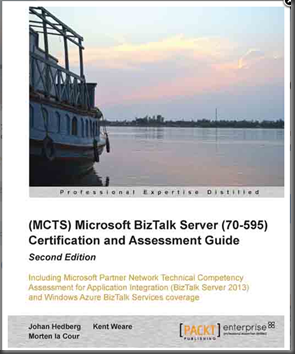
Johan Hedberg, Morten la Cour and myself released a second edition of the (MCTS) Microsoft BizTalk Server (70-595) certification book to include new BizTalk 2013 content. We released the book in March, 2014 as it also co-incided with the launch of the Microsoft Partner Assessment exam that Microsoft uses to measure its Silver or Gold Application Integration partners.

If your are interested in getting certified, either personally or as part of the Microsoft Partner network, I still feel that it is a great resource that will aid you in achieving your goal.

The Book is available from both Amazon and Packt

image

European Adventure

In March, I had the opportunity to head to Europe to present at a few events.  These events included the BizTalk Summit in London on March 3rd/4th, Swedish BizTalk User group in Stockholm, Sweden on March 5th and the Netherlands BizTalk User group on March 6th.

Special thanks to Saravana Kumar, Johan Hedberg and Steef-Jan Wiggers for allowing me to participate in these different events in your countries.  The BizTalk community is second to none in Europe so it is always an honour to head over there.

Even though it was an extremely busy week, we did have some time to see the sights in London. But otherwise a lot of time was spent at airports and in airplanes.

MuleSoft

After my return from Europe, I made a career change and joined MuleSoft. Event though MuleSoft has its headquarters in San Francisco I was able to sign on as a Remote Solutions Architect.

In 2014, MuleSoft made a lot of investments in supporting the Microsoft eco-system.  Most of the activities I was involved with included Microsoft at some level. The highlight of my time there would have to be getting involved in the release of a couple of investments related to calling .NET code (.Net Connector) from a Mule workflow and the MSMQ connector. I had the opportunity to demonstrate these components at MuleSoft’s flagship event called Connect in San Francisco in May 2014.

I decided to leave MuleSoft at the end of September 2014.  The logistics of me being a remote worker in Canada created some challenges and as a result I decided to move on.   Overall, I value the time I spent at MuleSoft.  I got to learn about a new eco-system, met a lot of great, smart people and got exposure to API Management which I hadn’t been exposed to previously.

After leaving Mulesoft, I traded my eclipse IDE for Visual Studio.  I have shifted my attention back to the Microsoft Integration stack including BizTalk, Azure Service Bus and Azure API Management. 

MVP Summit

I was able to attend the Annual MVP Summit in Redmond.  It was another great opportunity to talk shop with my integration colleagues from around the globe. Since the Summit has moved to the fall instead of Spring, we have developed a bit of a tradition by heading to Lowell’s, in the Pike Market, for breakfast before heading to a Seattle Seahawks game.  Even though it rained pretty much the whole game it was still a fun way to to spend a Sunday ffternoon.


Microsoft had a bit of a surprise for us once the sessions started.  It was at this point that we started to hear more about the next generation platform that they were building.  This more than kept us occupied in many discussions through-out the week. 


Channel 9

The amount of brain-power that shows up for MVP Summit is flat-out impressive.  Some of the brightest minds in the industry are present and eager to share some of their experiences.  Mark Mortimore, who runs marketing for BizTalk, decided to tap into some of this knowledge and have people record some short demos in advance of the Integrate 2014 event.  I took this opportunity to discuss a scenario I had built in the spring involving capturing data from a Power Plant and making it available to mobile devices via BizTalk, Azure Service Bus and Azure Mobile Services. You can view my clip and others here.

image

Integrate 2014

Microsoft held its annual Integration event in North America in December 2014.  I had the opportunity to speak at this event. My topic involved considerations when choosing an Integration Platform.  The Integration Platform landscape has been very crowded lately and there are a lot of mixed messages flying around.  The point of my session was to take a step back an look at a requirements based process to selecting a platform.  I discussed some of the top requirements that I would be looking for in a platform.

I also took this opportunity to announce a Whitepaper that myself, Michael Stephenson and Steef -Jan Wiggers had been working on called Choosing the right Integration Platform. This whitepaper is available for free on the BizTalk360 site.

image

The Integrate 2014 event had an incredible amount of announcements and gave attendees a lot of insight into where Microsoft is headed with Integration.  You can find a more detailed recap of the event here.

ASU

During all of these activities, I was also pursuing a Master’s Degree.  In December 2014, I graduated from Arizona State University with a 4.0 GPA.  The program that I was enrolled in was called MSIM (Masters of Science in Information Management).  The program is delivered on-campus and online through the W.P. Carey School of Business.  For the past 16 months I have spent approximately 20 hours a week in the program.

It was a great experience and I am glad that I had the opportunity to go through it.  I had some great teammates in my group and we worked really well together even though both of them are in Phoenix and I am in Calgary.

2015

In 2015, I am definitely looking for a slower pace and being able to spend more time with my family. While I will continue to focus on technology with my spare cycles, I definitely plan to spend more time skiing and running this year.  Between school and doing a lot of travel last year these are some of the activities that I had to concede.

From a technology perspective, I certainly plan to dive deeper into the upcoming Microsoft Microservices offering, Azure API Management, Azure Event Hubs and Stream Analytics.

MVP Award

I did receive word that my MVP status has been renewed for 2015.  I want to thank both my Canadian MVP leads Sim and Joel and the Product Group leadership team  Vivek, Guru and Mark for keeping me in the program even though I spent some time away in another platform.  2015 is going to be a really big year for Microsoft in the Integration space and I am thrilled to get involved.

I also want to take this opportunity to thank all my twitter followers and readers of this blog for their continued interest in what I have to say.  The Microsoft Integration community is really amazing and I am inspired to be part of it.  Here’s to a great 2015!

Sunday, December 7, 2014

Integrate 2014 Recap

I have recently made it home from a great week at Redmond’s Microsoft campus where I attended the Integrate 2014 event.  I want to take this opportunity to thank both Microsoft and BizTalk360 for being the lead sponsors and organizers of the event.

image image

I also want to call out to the other sponsors as these events typically do not take place without this type of support.  I think it also a testament of just how deep Microsoft’s partner ecosystem really is and it was a pleasure to interact with you over the course of the week.

image image image image
image image    

Speaking at the event

I want to thank Microsoft and BizTalk360 for inviting me to speak at this event. This was the first time that I have had the chance to present at Microsoft’s campus and it was an experience I don’t think I will ever forget.  I have been to Microsoft campus probably around 20 times for various events but have never had the opportunity to present.  It was a pretty easy decision.

One of the best parts of being involved in the Microsoft MVP program is the international network that you develop. Many of us have been in the program for several years and really value each other’s experience and expertise.  Whenever we get together, we often compare notes and talk about the industry.  We had a great conversation about the competitive landscape.  We also discussed the way that products are being sold with a lot of buzzwords and marketecture.  People were starting to get caught up in this instead of focusing on some of the fundamental requirements.  Much like any project should be based upon a formal, methodical, requirements driven approach, so should buying an integration platform.

These concepts introduced the idea of developing a whitepaper where we would identify requirements “if I was buying” an integration platform. Joining me on this journey was Michael Stephenson and Steef-Jan Wiggers.  We focused on both functional and nonfunctional requirements. We also took this opportunity to rank the Microsoft platform, which includes BizTalk Server, BizTalk Services, Azure Service Bus and Azure API Management.  Our ranking was based upon experiences with these tools and how our generic integration requirements could be met by the Microsoft stack. This whitepaper is available on the BizTalk360 site for free.  Whether your are a partner, system integrator, integration consultant or customer you are welcome to use and alter as you see fit.  If you feel we have missed some requirements, you are encouraged to reach out to us.  We are already planning a 1.1 version of this document to address some of the recent announcements from the Integrate event.

My presentation focused on 10 of the different requirements that were introduced in the paper.  I also included a ‘Legacy Modernization’ demo that highlights Microsoft’s ability to deliver on some of the requirements that were discussed in the whitepaper.  This session was recorded and will be published on the BizTalk360 site in the near future.


Recap

Disclaimer: What I am about to discuss is all based upon public knowledge that was communicated during the event.  I have been careful to ensure what is described is accurate to the best of my knowledge.  It was a fast and furious 3 days with information moving at warp speed. I have also included some of my own opinions which may or may not be inline with Microsoft’s way of thinking.   For some additional perspectives, I encourage you to check out the following blog posts from the past week:

Event Buildup

There was a lot of build up to this event, with Integration MVPs seeing some early demos there was cause for a lot of excitement.  This spilled over to twitter where @CrazyBizTalk posted this prior to the event kicking off.  The poster(I know who you are Smile ) was correct, there has never been so much activity on twitter related to Microsoft Integration. Feel free to check out the timeline for yourself here.

Embedded image permalink

Picture Source @CrazyBizTalk

Keynote

The ever so popular Scott Guthrie or otherwise known as “Scott Gu” kicked off the Integrate 2014 event.  Scott is the EVP of Microsoft’s Cloud and Enterprise groups.  He provided a broad update on the Azure platform describing all of the recent investments that have been rolled out.

Picture Source @SamVanhoutte

Embedded image permalink

Some of the more impressive points that Scott made about Azure include:

  • Azure Active Directory supports identity federation with 2342 SaaS platforms
  • Microsoft Azure is the only cloud provider in all 4 Gartner magic quadrants
  • Microsoft Azure provides the largest VMs in the cloud known as ‘G’ Machines (for Godzilla).  These VMs support 32 cores, 448 GB of Ram and 6500 GB of SSD Storage
  • Microsoft is adding 10 000+ customers per week to Microsoft Azure

For some attendees, I sensed some confusion about why there would be so much emphasis on Microsoft Azure. In hindsight, it makes a lot of sense.  Scott was really setting the stage for what would be come a conference that focused on a cohesive Azure platform where BizTalk becomes one of the center pieces.

Embedded image permalink

Picture Source @gintveld

A Microservices platform is born

Next up was Bill Staples.  Bill is the General Manager for the Azure Application Platform or what is also known as “Azure App Platform”.  Azure App Platform is the foundational ‘fabric’ that currently enables a lot of Azure innovation and will fuel the next generation integration tools for Microsoft.

A foundational component of Azure App Platform is App Containers.  These containers support many underlying Azure technologies that enable:

  • > 400k Apps Hosted
  • 300k Unique Customers
  • 120% Yearly Subscription Growth
  • 2 Billion Transactions daily

Going forward we can expect BizTalk ‘capabilities’ to run inside these containers.  As you can see, I don’t think we will have any performance constraints.

Embedded image permalink

Picture Source @tomcanter

Later in the session, it was disclosed that Azure App Platform will enable new BizTalk capabilities that will be available in the form of Microservices.  Microservices will enable the ability provide service composition in a really granular way.  We will have the ability to ‘chain’ these Microservices together inside of a browser(at design time), while enjoying the benefits of deploying to an enterprise platform that will provide message durability, tracking, management and analytics.

I welcome this change.  The existing BizTalk platform is very reliable, robust, understood, and supported.  The challenge is that the BizTalk core, or engine, is over 10 years old and the integration landscape has evolved with BizTalk struggling to maintain pace.

BizTalk capabilities exposed as Microservices puts Microsoft in the forefront of integration platforms leapfrogging many innovative competitors.  It allows Microsoft’s customers to enable transformational scenarios for their business.  Some of the Microservices that we can expect to be part of the platform include:

  • Workflow (BPM)
  • SaaS Connectivity
  • Rules (Engine)
  • Analytics
  • Mapping (Transforms)
  • Marketplace
  • API Management

Embedded image permalink

Picture Source @jeanpaulsmit

We can also see where Microsoft is positioning BizTalk Microservices within this broader platform: 

Embedded image permalink

Picture Source @wearsy

What is exciting about this is new platform is the role that BizTalk now plays in the broader platform.  For a while now, people have felt that BizTalk is that system that sits in the corner that people do not like to talk about.  Now, BizTalk is a key component within the App Platform that will enable many integration scenarios including new lightweight scenarios that has been challenging for BizTalk Server to support in the past.

Whenever there is a new platform introduced like this, there is always the tendency to chase ‘shiny objects’ while ignoring some of the traditional capabilities of the existing platform that allowed you to gain the market share that you achieved.  Microsoft seems to have a good handle on this and has outlined the Fundamentals that they are using to build this new platform.  This was very encouraging to see. 

Embedded image permalink

Picture Source @wearsy

At this point the room was buzzing.  Some people nodding their heads with delight(including myself), others struggling with the term Microservice, others concerned about existing requirements that they have and how they fit into the new world.  I will now break down some more details into the types of Microservices that we can expect to see in this new platform.

Workflow Microservice

One of the current gaps in Microsoft Azure BizTalk Services (MABS) is workflow.  In the following image we will see the workflow composer which is hosted inside a web browser.  Within this workflow we have the ability to expose it as a Microservice, but we also have the ability to pull in other Microservices such as a SaaS connector or a Rules Service.

Embedded image permalink

Picture Source @saravanamv

On the right hand corner of this screen we can see some of these Microservices that we can pull in.  The picture is a little “grainy” but some of the items include:

  • Validation
  • Retrieve Employee Details (custom Microservice I suppose)
  • Rules
  • Custom Filter
  • Acme (custom Microservice I suppose)
  • Survey Monkey SaaS Connector)
  • Email (SaaS Connector)

Embedded image permalink

Picture Source (@mikaelsand)

In the demo we were able to see a Workflow being triggered and the tracking information was made available in real time.  There are also an ability to schedule a workflow, run it manually or trigger it from another process.

Early in the BizTalk days there as an attempt to involve Business Analysts in the development of Workflows (aka Orchestrations).  This model never really worked well as Visual Studio was just too developer focused, and Orchestration Designer for Business Analysts (ODBA) just didn’t have the required functionality for it to be a really good tool.  Microsoft is once again attempting to bring the Business Analyst into the solution by providing a simple to use tool which is hosted in a Web browser.  I always am a bit skeptical when companies try to enable these types of BA scenarios but I think that was primarily driven from workflows being defined in an IDE instead of a web browser.

Embedded image permalink

Picture Source @wearsy

Once again, nice to see Microsoft focusing on key tenets that will drive their investment.  Also glad to see some of the traditional integration requirements being addressed including:

  • Persist State
  • Message Assurance
  • End to end tracking
  • Extensibility

All too often some of these ‘new age’ platforms provide lightweight capabilities but neglect the features that integration developers need to support their business requirements. I don’t think this is the case with BizTalk going forward.

Embedded image permalink

Picture Source @wearsy

SaaS Connectivity

A gap that has existed in the BizTalk Server platform is SaaS connectivity.  While BizTalk does provide a WebHttp Adapter that can both expose and consume RESTful services, I don’t think it is enough (as I discussed in my talk).  I do feel that providing a great SaaS connector makes developers more productive and reduces the time to deliver projects is mandatory.  Delivering value quicker is one of the reasons why people buy Integration Platforms and subsequently having a library that contains full featured, stable connectors for SaaS platforms is increasingly becoming important.  I relate the concept of BizTalk SaaS connectors to Azure Active Directory Federations.  That platform boasts more than 2000+ ‘identity adapters”.  Why should it be any different for integration?

The following image is a bit busy, but some of the Connector Microservices we can expect include:

  • Traditional Enterprise LOBs
  • Dynamics CRM Online
  • SAP SuccessFactors
  • Workday
  • SalesForce
  • HDInsight
  • Quickbooks
  • Yammer
  • Dynamics AX
  • Azure Mobile Services
  • Office 365
  • Coupa
  • OneDrive
  • SugarCRM
  • Informix
  • MongoDB
  • SQL Azure
  • BOX
  • Azure Blobs and Table
  • ….

This list is just the beginning.  Check out the Marketplace section in this blog for more announcements.

Embedded image permalink

Picture Source @wearsy

Rules Microservice

Rules (Engines) are a component that shouldn’t be overlooked when evaluating Integration Platforms.  I have been at many organizations where ‘the middleware should not contain any business rules’.  While in principle, I do agree with this approach.  However, it is not always that easy. What do you do in situations where you are integrating COTS products that don’t allow you to customize?  Or there may be situations where you can customize, but do not want to as you may lose your customizations in a future upgrade. Enter a Rules platform.

The BizTalk Server Rules Engine is a stable and good Rules Engine.  It does have some extensibility and can be called from outside BizTalk using .NET.  At times it has been criticized as being a bit heavy and difficult to maintained.  I really like where Microsoft is heading with its Microservice implementation that will expose “Rules as a Service” (RaaS?  - ok I will stop with that). This allows integration interfaces to leverage this Microservice but also allows other applications such as a Web or Mobile applications to leverage.  I think there will be endless opportunities for the broader Azure ecosystem to leverage this capability without introducing a lot of infrastructure.

Embedded image permalink

Picture Source @wearsy

Once again, Microsoft is enabling non-developers to participate in this platform.  I think a Rules engine is a place where Business Analysts should participate.  I have seen this work on a recent project with Data Quality Services (DQS) and don’t see why this can’t transfer to the Rules Microservice.

Embedded image permalink

Picture Source @wearsy


Data Transformation

Another capability that will be exposed as a Microservice is Data Transformation (or mapping).  This is another capability that will exist in a Web browser.  If you look closely on the following image you will discover that we will continue to have what appears to be a functoid (or equivalent).

Only time will tell if a Web Browser will provide the power to build complex Maps.  One thing that BizTalk Server is good at is dealing with large and complex maps.  The BizTalk mapping tools also provide a lot of extensibility through managed code and XSLT.  We will have to keep an eye on this as it further develops.

image


Analytics

Within BizTalk Server we have Business Activity Monitoring (BAM).  It is a very powerful tool but has been accused of being too heavy at times. One of the benefits of leveraging the power of Azure is that we will be able to plug into all of those other investments being made in this area.

While there was not a lot of specifics related to Analytics I think it is a pretty safe bet that Microsoft will be able to leverage their Power BI suite which is making giant waves in the industry.

One interesting demo they did show us was using Azure to consume SalesForce data and display it into familiar Microsoft BI tools.

I see a convergence between cloud based integration, Internet of Things (IoT), Big Data and Predictive analytics.  Microsoft has some tremendous opportunities in this space as they have very competent offerings in each of these areas. If Microsoft can find a way to ‘stitch’ them all together they were will be some amazing solutions developed.

Picture Source @wearsy

Below is a Power BI screen that displays SalesForce Opportunities by Lead Source.

Picture Source @wearsy

Marketplace - Microservice Gallery

Buckle your seatbelts for this one!

Azure already has a market place appropriately called Azure Marketplace. In this Marketplace you can leverage 3rd party offerings including:

  • Data services
  • Machine Learning
  • Virtual Machines
  • Web applications
  • Azure Active Directory applications
  • Application services

You can also expect a Microservice Gallery to be added to this list.  This will allow 3rd parties to develop Microservices and add them to the Marketplace.  These Microservices can be monetized in order to develop a healthy eco-system.  At the beginning of this blog post you saw a list of Microsoft partners who are active in the existing Integration eco-system.  Going forward you can expect these partners + other Azure partners and independent developers building Microservices and publishing them to to this Marketplace.

In the past there has been some criticism about BizTalk being too .Net specific and not supporting other languages.  Well guess what? Microservices can be built using other languages that are already supported in Azure including:

  • Java
  • Node.js
  • PHP
  • Python
  • Ruby

This means that if you wanted to build a Microservice that talks to SaaS application ‘XYZ” that you could build it in one of this languages and then publish it to the Azure Marketplace.  This is groundbreaking.

The image below describes how a developer would go ahead and publish their Microservice to the gallery through a wizard based experience.Embedded image permalink

Picture Source @wearsy

Another aspect of the gallery is the introduction of templates.  Templates are another artifact that 3rd parties can publish and contribute.  Knowing the very large Microsoft ISV community with a lot of domain expertise this has the potential to be very big.

Some of the examples that were discussed include:

  • Dropbox – Office365
  • SurveyMonkey – SalesForce
  • Twitter – SalesForce

With a vast amount of Connector Microservices, the opportunities are endless.  I know a lot of the ISVs in the audience were very excited to hear this news and were discussing what templates they are going to build first.

Embedded image permalink

Picture Source @nickhauenstein

What about BizTalk Server?

Without question, a lot of attendees are still focused on On-Premises integration. This in part due to some of the conservative domains that these people support. Some people were concerned about their existing investments in BizTalk Server.  Microsoft confirmed (again) their commitment to these customers.  You will not be left behind!  On the flipside, I don’t think you can expect a lot of innovation in the traditional On-Premises product but you will be supported and new versions will be released including BizTalk Server 2015.

You can also expect every BizTalk Server capability to be made available as a Microservice in Azure. Microsoft has also committed to providing a great artifact migration experience that allows customers to transition into this new style of architecture.

Embedded image permalink

Picture Source @wearsy

Conclusion

If there is one thing that I would like you to take away from this post it is the “power of the Azure platform”.  This is not the BizTalk team working in isolation to develop the next generation platform.  This is the BizTalk team working in concert with the larger Azure App Platform team.  It isn’t only the BizTalk team participating but other teams like the API Management team, Mobile Services team, Data team and  many more I am sure.

In my opinion, the BizTalk team being part of this broader team and working side by side with them, reporting up the same organization chart is what will make this possible and wildly successful.

Another encouraging theme that I witnessed was the need for a lighter weight platform without compromising Enterprise requirements.  When you look at some of the other platforms that allow you to build interfaces in a web browser, this is what they are often criticized for.  With Microsoft having such a rich history in Integration, they understand these use cases as well as anyone in the industry. 

Overall, I am extremely encouraged with what I saw.  I love the vision and the strategy.  Execution will become the next big challenge. Since there is a very large Azure App Platform team providing a lot of the foundational platform, I do think the BizTalk team has the bandwidth, talent and vision to bring the Integration specific Microservices to this amazing Azure Platform.

In terms of next steps, we can expect a public preview of Microservices (including BizTalk) in Q1 of 2015.  Notice how I didn’t say a BizTalk Microservices public preview?  This is not just about BizTalk, this about a new Microservice platform that includes BizTalk.  As soon as more information is publicly available, you can expect to see updates on this blog.