Showing posts with label BizTalk 2013. Show all posts

Monday, May 11, 2015

/nSoftware Powershell Adapter for BizTalk Server


In the past I have blogged about /n Software and their SFTP Adapter here and here.  Hard to believe one of those posts goes back to 2007. One thing that /nSoftware continues to do is add new adapters to their suite.  In this case it is the Powershell Adapter.

Can’t say that a Powershell Adapter previously was on my radar until a scenario was brought to me.  We have a very specialized piece of software that does “analysis” (I will leave at that for now).  This software is essentially a library that has been wrapped around an exe.  This exe will receive a series of parameters including a path to a file that it will use to perform its analysis on.

A suggestion was brought up about calling this exe using Powershell.  While I am sure we could call this from .Net the Powershell warranted some investigation.  So sure enough in a web search, /nSoftware comes up with an offering and sure enough we had it installed in all of our environments.

Since BizTalk is going to deliver the flat file used as an input to this process, I decided to check out the Powershell Adapter and allow BizTalk to orchestrate the entire process.  For the purpose of this blog post I will over-simplify the process and focus more on a POC than the original use case.

As part of the POC I am going to receive an xml file that represents our Parameter data.  We will then send this same message out through a Send Port that is bound to the /nSoftware Powershell adapter.

In order to help illustrate this POC, I have a console application that will simply receive 3 parameters and then write the contents to a file in my c:temp folder.  The reason why I am writing to a file is that when I call this exe from Powershell I don’t see the console window being displayed.  Perhaps there is a way to do that but I didn’t look for a solution for that.

namespace PowerShellPOC
{
    class Program
    {
        static void Main(string[] args)
        {

            string[] lines = { args[0], args[1], args[2] };
            // WriteAllLines creates a file, writes a collection of strings to the file,
            // and then closes the file.
            string filename = DateTime.Now.ToString("ddMMyyyymmhhss") + ".txt";
            System.IO.File.WriteAllLines(@"C:\temp\" + filename, lines);

           
        }
    }
}


In hindsight, I should have just built a send port subscription but here is my orchestration.

image

Using a standard FILE – receive location

image

On the Send things start to get a little more interesting. We will create a Static One-Way port and select the nSoftware.PowerShell.v4 Adapter.

image

Within our configuration we need to provide a Port Name (which can be anything) and our script.

image

If we click on the Script ellipses we can write our PowerShell script.  In this case we are able to retrieve our message that is moving through our Send Port and pass it into our executable.

image

If we only wanted some data elements we can also use $param3 = $xml.arguments.ReturnType

In this case “arguments” is our root node of our BizTalk Message and “ReturnType” is a child node in our XML Document.

When we go to process a file we will find that our text file has been created and it contains our 3 parameters; 2 that are hard coded and our BizTalk Messsage Payload.

image

Conclusion

When I think of BizTalk, I don’t necessarily think of Powershell.  But there will always be times when you need to perform some function that is a little bit off mainstream.  What I do like about this approach that there was no additional custom dev required to support the solution and we can use the actual BizTalk message in our Powershell script.

I am still exploring the capabilities of the adapter but after a dialog with the /nSoftware team I understand that remote Powershell scripts can be run and we can also use Dynamic ports and Solicit Response ports if we want to return messages from our PowerShell script to BizTalk.

For more details please check out the /nSoftware website.

Saturday, May 9, 2015

BizTalk 2013 SharePoint Adapter not respecting SharePoint 2013 View Name


I have done a lot of BizTalk-SharePoint Integration in the past and ran into a situation recently that surprised me. There wasn’t an easily identifiable resolution online so I have decided to document this for the benefit of others.

Background

We have a process that requires a user to approve a financial summary document in SharePoint.  Once the document has been approved, BizTalk will then fetch the details behind those financial transactions, from another source system, and send them to SAP.

In the past I have leveraged SharePoint views as a way for BizTalk to pickup messages from a SharePoint document library. The way to achieve this is to rely upon meta data that can be populated within a SharePoint document library column.

Adding a custom column to a document is very simple.  Under the library tab we will discover the Create Column label. We can simply click this button and then add a column and related properties as required. 

image

With our custom column created, we can now create a view for BizTalk to “watch”.  In our example we were dealing with an approval workflow.  We can create our custom column called Status and then when BizTalk initially publishes this financial summary document(for users to approve), we can use the SharePoint adapter to populate this column with a value of Pending.  After a user has reviewed the document, that Status value can be changed to Approved.

Since we don’t want BizTalk to move Pending documents we will create a view that will only show Approved documents.  To create a custom View we can once again click on the Library tab and then click on Create View


image

For our purposes a Standard View will be sufficient.

image

We need to provide a View Name and can also indicate where we want this column to be positioned.

Tip – In my experience I have experienced odd behavior with spaces in the name of SharePoint entities.  My advice is to avoid spaces in names where possible.

image

Lastly, since we only want Approved documents to show up in this field we need to add a filter.

Within our filter we want to Show items only when the following is true:

Status is equal to Approved

image

We can now save our view and test it. To test it we will upload two documents.  One will have the Status of Approved and the other will have a Status of Pending.  When we click on All Documents we should see both documents.

image

When we click on our view for BizTalk, which in this case is called BizTalkMoveView we will only see our Approved document.

image

From a SharePoint perspective we are good and we can now create our SharePoint Receive Location in BizTalk.  For the purposes of this blog post I am using a Send Port Subscription; I will receive the message from SharePoint and then send it to a File folder.

In our BizTalk Receive Location configuration we are going to use the Client OM which in this case is the SharePoint Client Object API.  This allows us to communicate with SharePoint without having to install any agents on a SharePoint Server.

We also need to configure our SharePoint Site URL, Source Document Library URL and View Name

image

When we enable our Send Port and Receive Location we should receive 1 file in our File Folder right? WRONG! Both files were picked up and moved to our file folder even though we have a View enabled.

image

If we go back to SharePoint we will discover both documents are gone.

image

Issue

The issue is that for some reason, BizTalk 2013 is not using/respecting the View Name property that is available in the Receive Location Configuration.

Resolution

The resolution is to install BizTalk 2013 CU 2. The download and more details about CU2 can be found here.

Before you install, the recommended approach from Microsoft is:

  • Stop all host instances
  • Stop SQL Server Agent which is responsible for running the internal BizTalk jobs
  • Perform a Database Backup

Running the CU2 exe is pretty straight forward and only takes a couple minutes.  I wasn't prompted for a reboot but decided to go that route regardless.

After applying the CU, I uploaded two documents again.  One had a Status  of Approved while the other had a Status  of Pending.

image

Our BizTalkMoveView is also displaying our file correctly

image

When we enable our Receive Location we will discover that only our Approved file has moved.

image

image

Our document that was in a Pending state remains in SharePoint as expected.

image

Conclusion

BizTalk 2013 was the first version that had support for the SharePoint Client Object model.  So I am not sure if this bug only impacts when you are using the Client OM within the BizTalk Receive Location.  I do know that in previous versions of BizTalk that this was not an issue.  However those versions of BizTalk relied upon the SharePoint Adapter Service being installed on the remote SharePoint Server.  Using the Client OM is the way to go as it also allows you to communicate with SharePoint Online/Office365.

Saturday, February 15, 2014

European Tour 2014

As I look at the calendar and see some important dates are quickly approaching, I thought I better put together a quick blog post to highlight some of the events that I will be speaking at in early March.

I will be using the same content at all events but am happy to talk offline about anything that you have seen in this blog or my presentation from Norway this past September.

The title of my session this time around is: Exposing Operational data to Mobile devices using Windows Azure and here is the session’s abstract:

In this session Kent will take a real world business scenario from the Power Generation industry. The scenario involves real time data collection, power generation commitments made to market stakeholders and current energy prices. A Power Generation company needs to monitor all of these data points to ensure it is maintaining its commitments to the marketplace. When things do not go as planned, there are often significant penalties at stake. Having real time visibility into these business measures and being notified when the business becomes non-compliant becomes extremely important.
Learn how Windows Azure and many of its building blocks (Azure Service Bus, Azure Mobile Services) and BizTalk Server 2013 can address these requirements and provide Operations people with real time visibility into the state of their business processes.

London – March 3rd and March 4th

The first stop on the tour is London where I will be speaking at BizTalk360’s BizTalk Summit 2014.  This is a 2 day paid conference event which has allowed BizTalk360 to bring in experts from all over the world to speak at this event.  This includes speakers from Canada (me), my neighbor, the United States, Italy, Norway, Portugal, Belgium, the Netherlands and India.  These experts include many Integration MVPs and the product group from Microsoft.

There are still a few tickets available for this event so I would encourage you to act quickly to avoid being disappointed.  This will easily be the biggest Microsoft Integration event in Europe this year with a lot of new content.

londonbanner

Stockholm – March 5th

After the London event, Steef-Jan Wiggers and I will be jumping on a plane and will head to Stockhom to visit our good friend Johan Hedberg and the Swedish BizTalk Usergroup.  This will be my third time speaking in Stockholm and 4th time speaking in Scandinavia.  I really enjoy speaking in Stockholm and am very much looking forward to returning to Sweden.  I just really hope that they don’t win the Gold Medal in Men’s Hockey at the Olympics otherwise I won’t hear the end of it.

I am also not aware of any Triathlons going on in Sweden at this time so I should be safe from participating in any adventure sports.

At this point an EventBrite is not available but watch the BizTalk Usergroup Sweden site or my twitter handle (@wearsy) for more details. 

icy-harbour-stockholm

Netherlands – March 6th

The 3rd and last stop on the tour is the Netherlands where I will be speaking at the Dutch BizTalk User Group.  Steef-Jan Wiggers will also be speaking as will René Brauwers.  This will be my second trip to the Netherlands but my first time speaking here. I am very much looking forward to coming back to the region to talk about integration with the community and sample Dutch Pancakes, Stroopwafels and perhaps a Heineken (or two).

The eventbrite is available here and there is no cost for this event.

amsterdam

See you in Europe!

Wednesday, January 1, 2014

2013–Year in Review and looking ahead to 2014

With 2014 now upon us I wanted to take some time to reflect on the past year.  It was an incredible and chaotic year but it was also a lot of fun!  Here are some of the things that I was involved in this past year.

MVP Summits

This year there were two MVP summits.  One in February and another at the end of November.  MVP Summits are such great opportunities on a few different levels.  First off you get to hear about what is in the pipeline from product groups but you also get to network with your industry peers. I find that these conversations are so incredibly valuable and the friendships that are developed are pretty incredible.  Over time I have developed an incredible world wide network with so many quality individuals it is actually mind blowing.

(Pictures from February MVP Summit)

MVPSummit1b


At the attendee party at Century Link stadium

MVPSummit1

Dinner with Product Group and other MVPs

PGand MVPs

(Pictures from November Summit)

At Lowell’s in the Pike Place Market in Seattle  for our annual Integration breakfast prior to the SeaHawk’s game.

Breakfast

A portion of the Berlin Wall with Steef-Jan at Microsoft Campus

Kent_Steef_BerlinWall

Dinner at our favourite Indian restaurant in Bellevue called Moksha.

Dinner

At Steef Jan’s favorite Donut shop in Seattle prior to the BizTalk Summit.

Donuts

Speaking

This year I had a lot of good opportunities to speak and share some of the things that I have learned.  My first stop was in Phoenix at the Phoenix Connected Systems Group in early May

The next stop was in Charlotte, North Carolina where I presented two sessions at the BizTalk Bootcamp event.  This conference was held at the Microsoft Campus in Charlotte.  Special thanks to Mandi Ohlinger for putting it together and getting me involved.

KentCharlotte

Soon after the Charlotte event I was headed to New York City where I had the opportunity to present at Microsoft Technology Center (MTC) along side the Product group and some MVPs to some of Microsoft’s most influential customers in New York City.

New York City

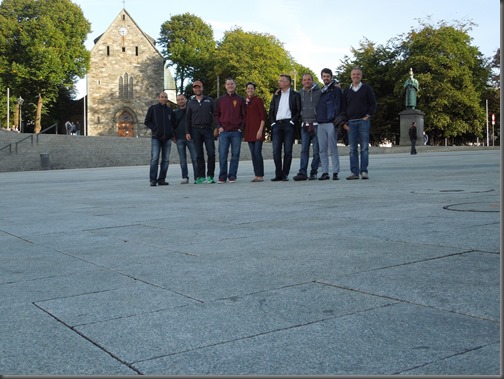
The next stop on the “circuit” was heading over to Norway to participate in the Bouvet BizTalk Innovation Days conference.  This was my favourite event for a few reasons;

  • I do have some Norwegian heritage so it was a tremendous opportunity to learn about my ancestors.
  • Another opportunity to hang with my MVP buddies from Europe
  • I don’t think there is a more passionate place on the planet about integration than in Scandinavia (Sweden included).  Every time I have spoke there I am completely overwhelmed by the interest in Integration in that part of the world.

Special thanks to Tord Glad Nordahl for including me in this event.
NorwaySpeakers2

After the Norway event I had the opportunity to participate in the 40th Annual Berlin Marathon with my good friend Steef Jan Wiggers. This was my second Marathon that I have run and it was a tremendous cultural experience to run in that city.  I also shaved 4 minutes off of my previous time from the Chicago marathon so it was a win-win type of experience.

Celebrating

The last speaking engagement was in Calgary in November.  I had the opportunity to speak about Windows Azure Mobile Services, Windows Azure BizTalk Services and SAP integration at the Microsoft Alberta Architect forum.  It was a great opportunity to demonstrate some of these capabilities in Windows Azure to the Calgary community.

Grad School

2013 also saw me returning to School! I completed my undergrad degree around 12 years ago and felt I was ready for some higher education.  I have had many good opportunities for career growth in my career but always felt that it was my technical capabilities that created those leadership and management opportunities.  At times I felt like I didn’t have a solid foundation when it came to running parts of an IT organization.  I felt that I could benefit from additional education.  I don’t ever foresee a time when I am not involved in Technology.  It is my job but it is also my hobby. With this in mind I set out to find a program that focused on the “Management of Technology”.  I didn’t want a really technical Master’s program and I also didn’t want a full blown Business Master’s program.  I really wanted a blend of these types of programs.  After some investigation I found a program that really suited my needs.  The program that I landed on was Arizona State University’s MSIM (Masters of Science in Information Management) through the W.P. Carey School of Business.

In August, 2013, I headed down to Tempe, Arizona for Student Orientation.  During this orientation myself and 57 other students in the program received detailed information about the program.  We also got assigned into groups of 4 or 5 people who you will be working closely with over the course of the 16 month program.  There are two flavors of the program.  You can either attend in-person at the ASU campus or you can participate in the on-line version of the program.  With me living in Calgary, I obviously chose the remote program. 

One thing that surprised me was the amount of people from all over the United States that are in this program.  There are people from Washington St, Washington DC, Oregon, California, Colorado, New Mexico, Texas, Indiana, New York, Georgia, Vermont, Alabama, Utah and of course Arizona in the program. When establishing groups, the school will try to place you in groups within the same time zone.  My group consists of people from Arizona which has worked out great so far.  This is really a benefit of the program as everyone brings a unique experience to the program which has been really insightful.

I just finished up my 3rd course (of 10) and am very pleased with choosing this program.  Don’t get me wrong, it is a lot of work but I am learning alot and really enjoying the content of the courses.  The 3 courses that I have taken so far are The Strategic value of IT, Business Process Design and Data and Information Management.  My upcoming course is on Managing Enterprise Systems which I am sure will be very interesting.

If you have any questions about the program feel free to leave your email address in the comments as I am happy to answer any questions that you have.

388644_10151308828386207_698535131_n


 Books

Unfortunately this list is going to be quite sparse compared to the list that Richard has compiled here, but I did want to point out a few books that I had the opportunity to read this past year.

Microsoft BizTalk ESB Toolkit 2.1

In 2013, it was a slow year for new BizTalk books.  In part due to the spike in books found in 2012 and also the nature of the BizTalk release cycle. However we did see the Microsoft BizTalk ESB Toolkit 2.1  book being released by Andres Del Rio Benito and Howard Edidin. 

This book comes in Packt Publishing’s new shorter format.  Part of the challenge with writing books is that it takes a really long time to get the product out.  In recent years Packt has tried to shorten this release cycle and this book falls into this new category.   The book is approximately 130 pages long and is the most comprehensive guide of the ESB toolkit available.  I have not seen another resource where you will find as much detailed information about the toolkit.

Within this book you can expect to find 6 chapters that discuss:

  • ESB Toolkit Architecture
  • Itinerary Services
  • ESB Exception Handling
  • ESB Toolkit Web Services
  • ESB Management Portal
  • ESB Toolkit Version 2.2 (BizTalk 2013) sneak peak.

If you are doing some work with the ESB toolkit and are looking for a good resource then this a good place to start. (Amazon)

ESB Book


The Phoenix Project: A Novel about IT, DevOps and Helping your Business Win

I was made aware of this book via a Scott Gu tweet and boy it was worth picking up.  This book reads like a novel but there are a lot of very valuable lessons embedded within the book.  This book was so relevant to me that I could have sworn that I have worked with this author before because I had experienced so much of what was in this book.  If you are new to a leadership role or are struggling in that role this book will be very beneficial to you. (Amazon)

The Phoenix Project


Adventures of an IT Leader

This is a book that I read as part of my ASU Strategic Value of IT course.  It is similar in nature to the Phoenix Project and also reads like a novel.  In this case a Business Leader has transitioned into a CIO position.  This book takes you through his trials and tribulations and really begs the question is “IT Management just about Management”. (Amazon)

IT Leadership

The Opinionated Software Developer: What Twenty-Five Years of Slinging Code Has Taught Me

This was an interesting read as it describes Shawn Wildermuth’s experiences as a Software Developer.  It was a quick read but was really interesting to learn about Shawn’s experiences throughout his career. I love learning about what other people have experienced in their careers and this provided excellent insight into Shawn’s. (Amazon)

Shawn

Hard Facts, Dangerous Half-Truths, and Total Nonsense: Profiting from Evidence-based Management

Another book from my ASU studies but this one was interesting.  It does read more like a text book but the authors are very well recognized for their work in Business Re-engineering space.  I think the biggest thing that I got out of this book was to not lose sight of evidence-based management. All too often technical folks use their previous experiences to dictate future decisions.  For example at a previous company or client a particular method worked.  However taking this approach to a new company or client provides you no guarantees that it will work again.  This book was a good reminder that a person needs to stick to the facts when making decisions and to not rely (too much) on what has worked (or hasn’t) in the past. (Amazon)

Hard Facts


 2014

Looking ahead I expect 2014 to be as chaotic and exciting as 2013.  It has already gotten off to a good start with Microsoft awarding me with my seventh consecutive MVP award in the Integration discipline.  I want to thank all of the people working in the Product Group, the Support Group and in the Community teams for their support.  I also want to thank my MVP buddies who are an amazing bunch of people that I really enjoy learning from.

MVP_FullColor_ForScreen

Also, look for a refresh of the (MCTS): Microsoft BizTalk Server 2010 (70-595) Certification Guide book. No the exam has not changed, but the book has been updated to include BizTalk 2013 content that is related to the Microsoft BizTalk 2013 Partner competency exam.  I must stress that this book is a re-fresh so do not expect 100% (of anywhere near that) of new content.

Tuesday, December 10, 2013

BizTalk 2013–Integration with Amazon S3 storage using the WebHttp Adapter

I have recently encountered a requirement where we had to integrate a legacy Document Management system with Amazon in order to support a Mobile-Field Worker application.  The core requirement is that when a document reaches a certain state within the Document Management System, we need to publish this file to an S3 instance where it can be accessed from a mobile device.  We will do so using a RESTful PUT call.

Introduction to Amazon S3 SDK for .Net

Entering this solution I knew very little about Amazon S3.  I did know that it supported REST and therefore felt pretty confident that BizTalk 2013 could integrate with it using the WebHttp adapter.

The first thing that I needed to do was to create a Developer account on the Amazon platform. Once I created my account I then downloaded the Amazon S3 SDK for .Net. Since I will be using REST technically this SDK is not required however there is a beneficial tool called the AWS Toolkit for Microsoft Visual Studio.  Within this toolkit we can manage our various AWS services including our S3 instance.  We can create, read, update and delete documents using this tool.  We can also use it in our testing to verify that a message has reached S3 successfully.

image

Another benefit of downloading the SDK is that we can use the managed libraries to manipulate S3 objects to better understand some of the terminology and functionality that is available.  Another side benefit is that we can fire up Fiddler while we are using the SDK and see how Amazon is forming their REST calls, under the hood, when communicating with S3

Amazon S3 Accounts

When you sign up for an S3 account you will receive an Amazon Key ID and a Secret Access Key. These are two pieces of data that you will need in order to access your S3 services.  You can think of these credentials much like the ones you use when accessing Windows Azure Services.

image

BizTalk Solution

To keep this solution as simple as possible for this Blog Post, I have stripped some of the original components of the solution so that we can strictly focus on what is involved in getting the WebHttp Adapter to communicate with Amazon S3.

For the purpose of this blog post the following events will take place:

  1. We will receive a message that will be of type: System.Xml.XmlDocument.  Don’t let this mislead you, we can receive pretty much any type of message using this message type including text documents, images and pdf documents.
  2. We will then construct a new instance of the message that we just received in order to manipulate some Adapter Context properties. You may now be asking – Why do I want to manipulate Adapter Context properties?  The reason for this is that since we want to change some of our HTTP Header properties at runtime we therefore need to use a Dynamic Send Port as identified by Ricardo Marques.

    image

    The most challenging part of this Message Assignment Shape was populating the WCF.HttpHeaders context property.  In C# if you want to populate headers you have a Header collection that you can populate in a very clean manner:

    headers.Add("x-amz-date", httpDate);

    However, when populating this property in BizTalk it isn’t as clean.  You need to construct a string and then append all of the related properties together.  You also need to separate each header attribute onto a new line by appending “\n” . 

    Tip: Don’t try to build this string in a Helper method.  \n characters will be encoded and the equivalent values will not be accepted by Amazon so that is why I have built out this string inside an Expression Shape.

    After I send a message(that I have tracked by BizTalk) I should see an HTTP Header that looks like the following:

    <Property Name="HttpHeaders" Namespace="http://schemas.microsoft.com/BizTalk/2006/01/Adapters/WCF-properties" Value=

    "x-amz-acl: bucket-owner-full-control
    x-amz-storage-class: STANDARD
    x-amz-date: Tue, 10 Dec 2013 23:25:43 GMT
    Authorization: AWS <AmazonKeyID>:<EncryptedSignature>
    Content-Type: application/x-pdf
    Expect: 100-continue
    Connection: Keep-Alive"/>

    For the meaning of each of these headers I will refer you to the Amazon Documentation.  However, the one header that does warrant some additional discussion here is the Authorization header.  This is how we authenticate with the S3 Service.  Constructing this string requires some additional understanding.  To simplify the population of this value I have created the following helper method which was adopted from the following post on StackOverflow:

    public static string SetHttpAuth(string httpDate)
         {
              string AWSAccessKeyId = "<your_keyId>";
              string AWSSecretKey = "<your_SecretKey>";

             string AuthHeader = "";
            string canonicalString = "PUT\n\napplication/x-pdf\n\nx-amz-acl:bucket-owner-full-control\nx-amz-date:" + httpDate + "\nx-amz-storage-class:STANDARD\n/<your_bucket>/310531500150800.PDF";
                

             // now encode the canonical string
             Encoding ae = new UTF8Encoding();
             // create a hashing object
             HMACSHA1 signature = new HMACSHA1();
             // secretId is the hash key
             signature.Key = ae.GetBytes(AWSSecretKey);
             byte[] bytes = ae.GetBytes(canonicalString);
             byte[] moreBytes = signature.ComputeHash(bytes);
             // convert the hash byte array into a base64 encoding
             string encodedCanonical = Convert.ToBase64String(moreBytes);
             // finally, this is the Authorization header.
             AuthHeader = "AWS " + AWSAccessKeyId + ":" + encodedCanonical;

             return AuthHeader;
         }

    The most important part of this method is the following line(s) of code:

    string canonicalString = "PUT\n\napplication/x-pdf\n\nx-amz-acl:bucket-owner-full-control\nx-amz-date:" + httpDate + "\nx-amz-storage-class:STANDARD\n/<your_bucket>/310531500150800.PDF";
                

    The best way to describe what is occurring is to borrow the following from the Amazon documentation.

    The Signature element is the RFC 2104HMAC-SHA1 of selected elements from the request, and so the Signature part of the Authorization header will vary from request to request. If the request signature calculated by the system matches the Signature included with the request, the requester will have demonstrated possession of the AWS secret access key. The request will then be processed under the identity, and with the authority, of the developer to whom the key was issued.

    Essentially we are going to build up a string that reflects that various aspects of our REST call (Headers, Date, Resource) and then create a Hash using our Amazon secret.  Since Amazon is aware of our Secret they can decrypt this payload and see if it matches our actual REST call.  If it does – we are golden.  If not, we can expect an error like the following:

    A message sent to adapter "WCF-WebHttp" on send port "SendToS3" with URI http://<bucketname>.s3-us-west-2.amazonaws.com/ is suspended.
    Error details: System.Net.WebException: The HTTP request was forbidden with client authentication scheme 'Anonymous'.
    <?xml version="1.0" encoding="UTF-8"?>
    <Error><Code>SignatureDoesNotMatch</Code><Message>The request signature we calculated does not match the signature you provided. Check your key and signing method.</Message><StringToSignBytes>50 55 54 0a 0a 61 70 70 6c 69 63 61 74 69 6f 6e 2f 78 2d 70 64 66 0a 0a 78 2d 61 6d 7a 2d 61 63 6c 3a 62 75 63 6b 65 74 2d 6f 77 6e 65 72 2d 66 75 6c 6c 2d 63 6f 6e 74 72 20 44 65 63 20 32 30 31 33 20 30 34 3a 35 37 3a 34 35 20 47 4d 54 0a 78 2d 61 6d 7a 2d 73 74 6f 72 61 67 65 2d 63 6c 61 73 73 3a 53 54 41 4e 44 41 52 44 0a 2f 74 72 61 6e 73 61 6c 74 61 70 6f 63 2f 33 31 30 35 33 31 35 30 30 31 35 30 38 30 30 2e 50 44 46</StringToSignBytes><RequestId>6A67D9A7EB007713</RequestId><HostId>BHkl1SCtSdgDUo/aCzmBpPmhSnrpghjA/L78WvpHbBX2f3xDW</HostId><SignatureProvided>SpCC3NpUkL0Z0hE9EI=</SignatureProvided><StringToSign>PUT

    application/x-pdf

    x-amz-acl:bucket-owner-full-control
    x-amz-date:Thu, 05 Dec 2013 04:57:45 GMT
    x-amz-storage-class:STANDARD
    /<bucketname>/310531500150800.PDF</StringToSign><AWSAccessKeyId><your_key></AWSAccessKeyId></Error>

    Tip: Pay attention to these error messages as they really give you a hint as to what you need to include in your “canonicalString”.  I discounted these error message early on and didn’t take the time to really understand what Amazon was looking for. 

    For completeness I will include the other thresshelper methods that are being used in the Expression Shape.  For my actual solution I have included these in a configuration store but for the simplicity of this blog post I have hard coded them.

    public static string SetAmzACL()
        {
            return "bucket-owner-full-control";
        }

        public static string SetStorageClass()
        {
            return "STANDARD";
        }

    public static string SetHeaderDate()
          {
              //Use GMT time and ensure that it is within 15 minutes of the time on Amazon’s Servers
              return DateTime.UtcNow.ToString("ddd, dd MMM yyyy HH:mm:ss ") + "GMT";
             
          }

  3. The next part of the Message Assignment shape is setting the standard context properties for WebHttp Adapter.  Remember since we are using a Dynamic Send Port we will not be able to manipulate these values through the BizTalk Admin Console.

    msgS3Request(WCF.BindingType)="WCF-WebHttp";
    msgS3Request(WCF.SecurityMode)="None";
    msgS3Request(WCF.HttpMethodAndUrl) = "PUT";  //Writing to Amazon S3 requires a PUT
    msgS3Request(WCF.OpenTimeout)= "00:10:00";
    msgS3Request(WCF.CloseTimeout)= "00:10:00";
    msgS3Request(WCF.SendTimeout)= "00:10:00";
    msgS3Request(WCF.MaxReceivedMessageSize)= 2147483647;

    Lastly we need to set the URI that we want to send our message to and also specify that we want to use the WCF-WebHttp adapter.

    Port_SendToS3(Microsoft.XLANGs.BaseTypes.Address)="http://<bucketname>.s3-us-west-2.amazonaws.com/310531500150800.PDF";
    Port_SendToS3(Microsoft.XLANGs.BaseTypes.TransportType)="WCF-WebHttp";

    Note: the last part of my URI 310531500150800.PDF represents my Resource.  In this case I have hardcoded a file name.  This is obviously something that you want to make dynamic, perhaps using the FILE.ReceivedFileName context property.

  4. Once we have assembled our S3 message we will go ahead and send it through our Dynamic Solicit Response Port.  The message that we are going to send to Amazon and Receive back is once again of type System.Xml.XmlDocument
  5. One thing to note is that when you receive a response back from Amazon is that it won’t actually have a message body (this is inline with REST).  However even though we receive an empty message body, we will still find some valuable Context Properties.  The two properties of interest are:

    InboundHttpStatusCode

    InboundHttpStatusDescription

    image


  6. The last step in the process is to just write our Amazon response to disk.  But, as we have learned in the previous point is that our message body will be empty but does give me an indicator that the process is working (in a Proof of Concept environment).

Overall the Orchestration is very simple.  The complexity really exists in the Message Assignment shape. 

image

 Testing

Not that watching files move is super exciting, but I have created a quick Vine video that will demonstrate the message being consumed by the FILE Adapter and then sent off to Amazon S3.

 https://vine.co/v/hQ2WpxgLXhJ

Conclusion

This was a pretty fun and frustrating solution to put together.  The area that caused me the most grief was easily the Authorization Header.  There is some documentation out there related to Amazon “PUT”s but each call is different depending upon what type of data you are sending and the related headers.  For each header that you add, you really need to include the related value in your “canonicalString”.  You also need to include the complete path to your resource (/bucketname/resource) in this string even though the convention is a little different in the URI.

Also it is worth mentioning that /n Software has created a third party S3 Adapter that abstracts some of the complexity  in this solution.  While I have not used this particular /n Software Adapter, I have used others and have been happy with the experience. Michael Stephenson has blogged about his experiences with this adapter here.

Sunday, October 6, 2013

European Trip Recap


I recently returned back from Europe where I had a chance to participate in two extraordinary events: Bouvet BizTalk Innovation Day (s) in Stavanger, Norway and the 40th running of the Berlin Marathon.

Bouvet BizTalk Innovation Day–Norway Recap

This was a two day event hosted by Bouvet. For those of you who are not familiar with Bouvet, Bouvet provides services in the fields of information technology, digital communication and enterprise management. Bouvet has about 900 employees divided between 14 offices in Norway and Sweden. - See more at: http://www.bouvet.no/en/About-Bouvet/

On day one each of the speakers had the opportunity to present their topic to a crowd of around 70 BizTalk professionals from all over Scandinavia.  The topics ranged from newer technologies like Windows Azure BizTalk Services, Windows Azure Mobile Services, Windows Azure Service Bus and some more universal topics like being proactive when monitoring the health of BizTalk solutions, BizTalk Mapping Patterns, identifying and rescuing a BizTalk Hostage Project and seeing a preview of the next version of BizTalk360.  There was also a special keynote by Paolo Salvatori who works for Microsoft Italy and is recognized world wide for his abilities. All presentations were very well received as indicated by the attendee surveys.

My presentation focused on Enterprise Mobility.  This is a topic that I have been dealing with at my day job so I had an opportunity to demonstrate some of the areas of enterprise mobility that I have been thinking about lately.  It was also an opportunity to demonstrate a ‘reference’ application that I have been collaborating on with Mikael Hakansson.

Some of the core principles that I have taken into consideration when dealing with Enterprise Mobility include:

  • Active Directory Federation: When a person leaves the company and their AD account has been disabled, this “tap” should be turned off for other mobile/cloud based services.
  • Leverage a Mobility platform to reduce the diversity required in supporting multiple platforms.  Windows Azure Mobile Services helps us address this by providing APIs for the popular platforms that allow us to centralize activities like Data access, Authentication, Identity Providers, Custom APIs and Scheduled tasks.
  • Most, if not all, Enterprise Mobile apps need to consume Line of Business (LOB) System data.  Windows Azure BizTalk Services (and the BizTalk Adapter Service) allow us a secure way in and out of our enterprise without poking holes in firewalls.  I should note that these capabilities are also available with BizTalk Server 2013.
  • Accessing On-Premise LOB systems isn’t possible (in my scenarios) without the underpinnings of the Windows Azure Service Bus.  Using this technology to span network layers never gets old. The BizTalk Adapter Service has a strong dependency on these services.
  • Data Storage:  Even though I am leveraging SAP master data in this scenario, I do need to maintain the state of the business process.  In this case I am using SQL Azure to host our data.  We can leverage Windows Azure Mobile Services’ APIs that make getting data in and out of the database a breeze.
  • Finally, we can’t forget about Toast Notifications.  We want the ability to send notifications out to users (in this case approvers) and Windows Azure Mobile Services helps us deal with sending Toast Notifications to a variety of platforms. 

Here is one of the scenarios from my demo that illustrates many of the principles that were previously mentioned.

image     

A few screenshots of the application running in the Windows Phone Emulator:

imageimageimageimage

This was one of the more challenging demos that I have ever been involved in.  I had a lot of fun working on this reference app with Mikael and learned a lot in the process.  My complete slide deck can be found here.

Conclusion

Many people work on bringing events alive, but two people who I would like to recognize are Tord Glad Nordahl and Anders Stensland.  They, in addition to the support Bouvet provided, pulled off a fantastic event.  I have had the opportunity to present in Sweden in 2010 and 2011 and I continue to be amazed by the amount of BizTalk interest in Scandinavia.  If you do have the opportunity to attend the Bouvet BizTalk Innovation conference in the future, I highly recommend it.  They did an amazing job.

40th Berlin Marathon

One of my hobbies is running.  I am a pretty average runner but I enjoy the challenges of running and also try to reap the health benefits of staying active.  I have run over 12 half marathons over the past 6 years and finished my first marathon last year in Chicago.  Whenever I have gone to Europe to speak in the past I have always tried to make a side trip within Europe to experience another culture.  In speaking with one of the other presenters (Steef-Jan Wiggers) we had decided that we would head to Berlin after the conference in Norway.  He recommended going to Berlin to experience its rich history.  Having never been to Germany, myself and my wife made plans to join him in Berlin.

I knew that the Berlin Marathon was held in late September.  The Berlin Marathon is one of the 6 major Marathons in the world.  The others include New York, Boston, Chicago, London and Tokyo.  So when I found out that I would be in Berlin on the same day of this historic event, I couldn’t resist the temptation of participating in this event.

The registration deadline had passed but I was able to find a travel agent from Boston who would sell us packages.  With this information, I presented the opportunity to Steef-Jan and he obliged.  He has recently gotten back into running and this would provide a great opportunity to run his first marathon.

The event itself was rather amazing.  Over 42 000 runners participated in the event with an estimated 1 million spectators.  It was an awesome experience and one that I will never forget.  I finished the marathon in 4 hours 34 minutes and 56 seconds which was 4 minutes faster than my Chicago time.


A few pictures:

The prize

Medal


Before the race.  The garbage bags helped keep us warm while we waited for our turn.

KentBefore

Steef-Jan before the race

SteefBefore


After the run

Kent_SteefAfter


Celebrating – German style

Celebrating


After the race the Adidas store would engrave your time into a running band that was provided as part of your registration.

Timeband


MVP Profile

One of the best parts of the MVP program is the people you meet and the friendships that you develop.  Without being in the MVP program, this trip would have never happened.  Being part of the program is truly an honor.

Thanks Tord for your hospitality in Norway.  It was a great opportunity to experience my Norwegian heritage and I thoroughly enjoyed your beautiful country. 

Thanks Steef for being an amazing tour guide while in Germany.  Your German came in handy many times and I learned a lot about German history while I was there.  Running the marathon with you was also a great experience.  Next time we won’t do as much sightseeing the day before the race Winking smile.

I also would like to thank the other MVPs (Sandro, Nino, Saravana) and Paolo for a great experience as well.  Talking shop whenever we get together is a lot of fun and always interesting.